
GTA 6 Xbox Remote Play works on PC, phone and ROG Ally
Updated

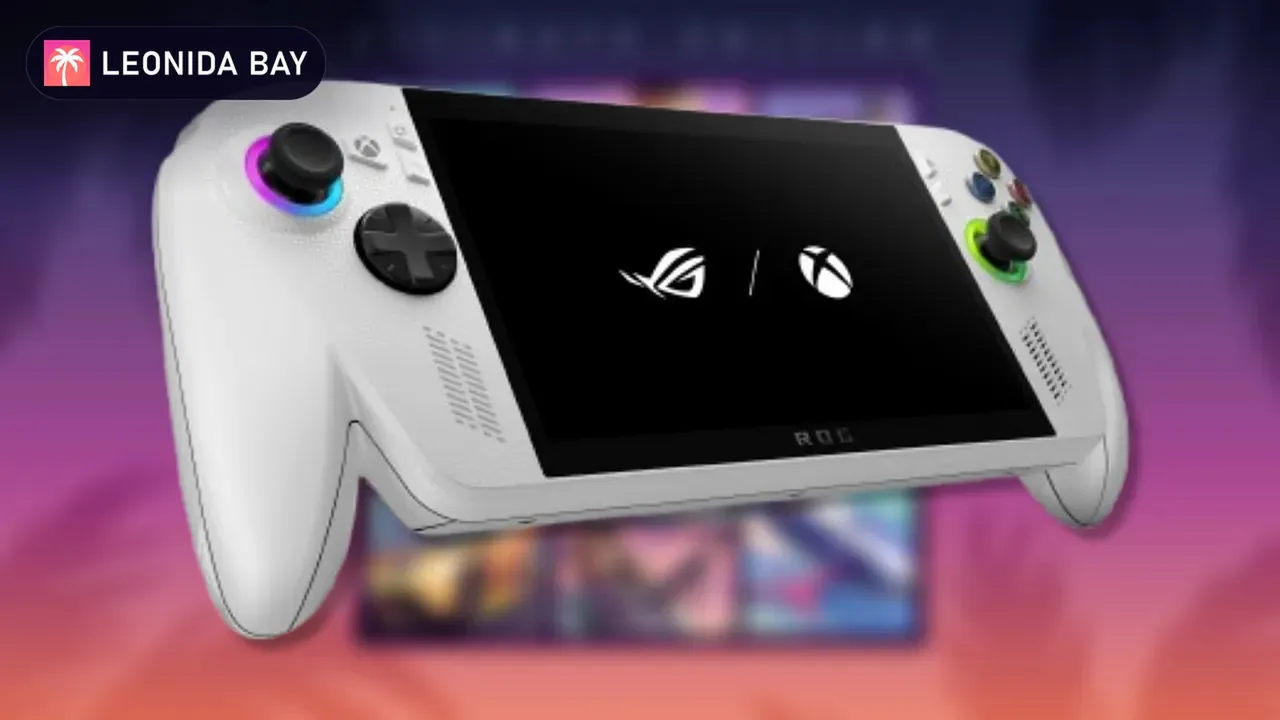
Microsoft says GTA 6 supports Xbox Remote Play, streaming from an Xbox Series X|S to PC, phone or ROG Ally, plus Xbox Cloud Gaming at Series S settings.
GTA 6 supports Xbox Remote Play, so you can stream it from your Xbox Series X|S to a PC, a phone or a handheld like the Xbox ROG Ally. Microsoft confirmed it on XBOX Wire on November 23, 2026.
On October 8, 2026, Xbox clarified, according to Shacknews, that GTA 6 wouldn't be playable on PC through the cloud at launch. Remote Play takes a different route: the game runs on your console and streams to another device, and Rockstar hasn't announced a PC version. It fills a gap left after the November 19 launch.
You turn on remote features on the console first, then connect the device you want. XBOX Wire, Microsoft's official blog, says to go to Settings, Devices & connections, Remote features on your Xbox Series X|S and check "Enable remote features."
The same menu has "Test remote play," which shows what quality your connection can give you. GameSpot describes it as a way to preview the experience at home first.
Service | Xbox Remote Play
Source console | Xbox Series X|S
Devices | Phone, laptop, PC or Xbox ROG Ally
Requirement | A copy of GTA 6 from the Xbox Store
Who says so | Microsoft, on XBOX Wire, November 23, 2026
Phones, laptops, PCs and handheld gaming PCs like the Xbox ROG Ally all work, as long as you own the console and a copy of the game from the Xbox Store.
On a phone, open play.xbox.com/remoteplay in your browser, pick your console and choose "Remote Play on This Device." On a PC or ROG Ally, open the Xbox app for PC, click your profile icon at the top right, go to "Accessories & remote play" and select the console.
If you don't have a current-gen console, Microsoft offers the cloud. GTA 6 supports Xbox Cloud Gaming and streams to an Xbox One or an Xbox Series X|S, for example to save hard drive space. Select Game Pass plans include up to 15 play hours a month, and you can buy more time. In the cloud, the game uses Xbox Series S graphics settings.
| Aspect | Remote Play | Xbox Cloud Gaming |
|---|---|---|
| Where the game runs | On your Xbox Series X|S | In the Xbox cloud |
| Console needed | Xbox Series X|S | Xbox One or Xbox Series X|S |
| Graphics | Your own console's | Xbox Series S settings |
| How you start | play.xbox.com/remoteplay or the Xbox app for PC | Xbox button, "Manage," "See in Microsoft Store" and "Play With Cloud" |
According to GameSpot, GTA 6's PlayStation Store page now says Remote Play is supported and that PS5 and PlayStation Portal owners with a Premium membership can use cloud streaming. GameSpot adds that right now you need a PS5 or an Xbox Series X|S to stream the game.
The console still does the work, so your phone or handheld only shows the picture. Microsoft recommends a wired Ethernet cable when possible, because even fast Wi-Fi can dip in audio and video quality. If you want to explore the map of Leonida from another room, start with the Remote Play test.
Microsoft gives no connection requirements or latency figures, and neither source includes a statement from Rockstar about Remote Play. The XBOX Wire guide from November 23, 2026 is the reference for now. In the meantime, our GTA 6 beginner's guide covers where to start.
Can you play GTA 6 on your phone with Remote Play?
Yes, according to Microsoft on XBOX Wire (November 23, 2026): open play.xbox.com/remoteplay, pick your Xbox Series X|S and choose "Remote Play on This Device." You need a copy of the game from the Xbox Store.
How many cloud hours does Game Pass include for GTA 6?
Select Game Pass plans include up to 15 hours of cloud play a month, and you can buy more time, according to XBOX Wire on November 23, 2026.
Can you use Remote Play for GTA 6 without a console?
No. According to GameSpot (November 24, 2026), you currently need a PS5 or an Xbox Series X|S to stream GTA 6. Rockstar hasn't announced a PC version.
Cover image: Ben Williams (ign.com)
News like this, recapped weekly in your inbox
Keep reading

Comments0
Be the first to comment.